AI Chatbots
Web Chatbot vs WhatsApp Chatbot: Which Is Better for Leads?
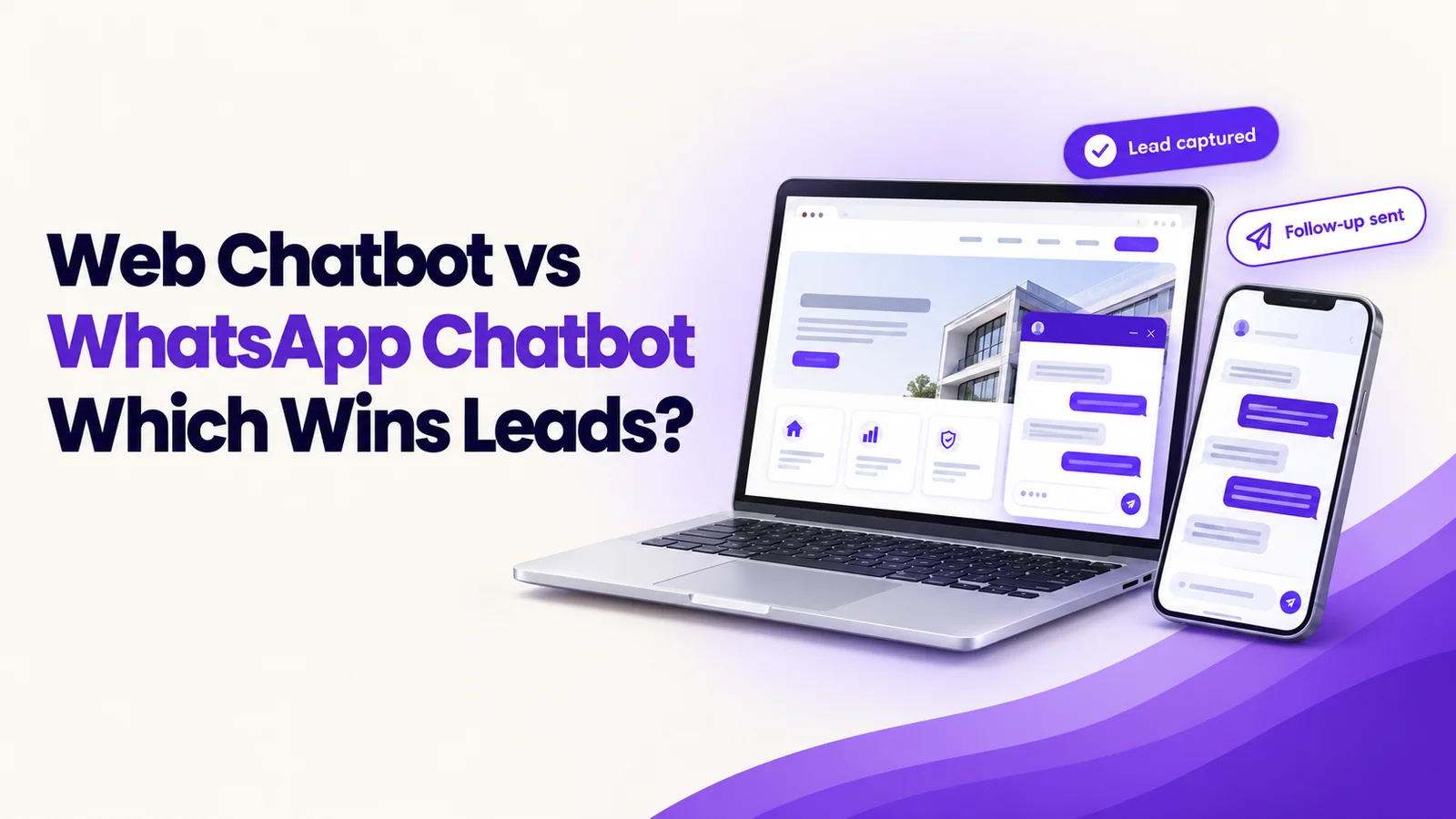
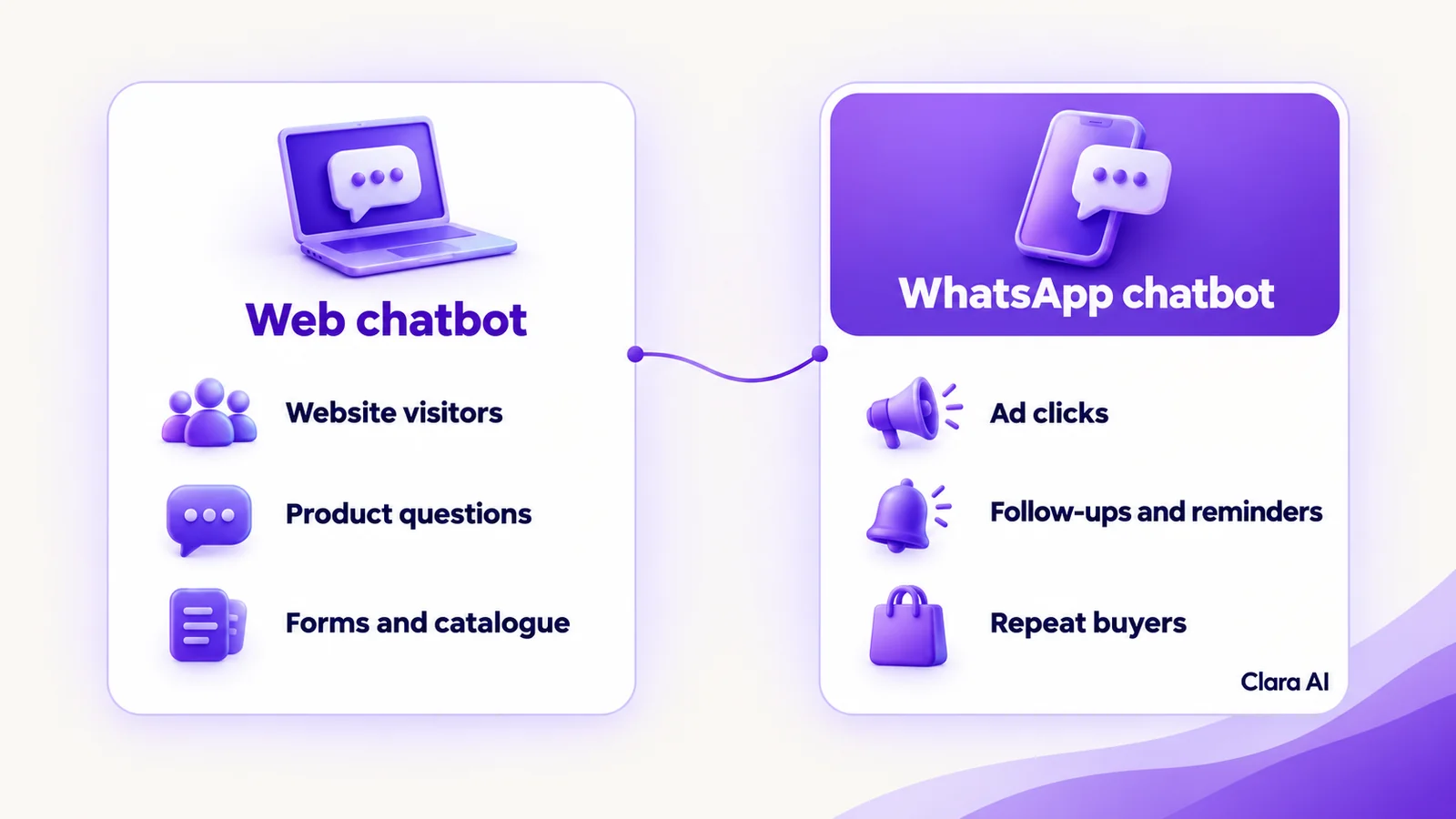
A web chatbot answers visitors on your website. A WhatsApp chatbot talks to customers in their messaging app and can follow up later. Web suits browsing and product questions. WhatsApp suits ad clicks, reminders and repeat buyers. Many European businesses use both, sharing one set of answers.
A visitor from Madrid reads a product page. She has one question about delivery. Nobody answers, so she leaves. Another person taps an Instagram ad that opens WhatsApp. He gets a reply in seconds and agrees a call. Same business, same week, two channels, two very different outcomes.
This guide compares the two for European businesses. It explains what each does, where each works best, where each falls short and how to choose.
What is a web chatbot?
A web chatbot is an assistant that sits on your website and chats with visitors in a window on the page. It answers from content you have approved: products, services, delivery, opening hours and availability. It can also ask a few questions, capture contact details and pass the visitor to your team.
The visitor needs nothing but a browser. There is no app to install, no number to save and no account to create. That makes it the simplest way to help someone who is already on your site with a question they might not bother to email.
Clara AI builds this as an AI web chatbot.
What is a WhatsApp chatbot?
A WhatsApp chatbot chats with customers inside WhatsApp, using your business number. It runs on the WhatsApp Business Platform, the route WhatsApp provides for businesses to automate messaging, usually set up through a provider.
Customers start the chat themselves. They tap a click-to-WhatsApp ad, scan a QR code or message your number. Two rules shape how it works:
- The 24-hour window. After a customer's last message, a business can reply freely for 24 hours. After that, it can send only pre-approved template messages.
- Opt-in. You need the person's permission to message them, and marketing messages need clear consent.
Clara AI builds this as a WhatsApp chatbot for business.
WhatsApp is a common way to message businesses in many European countries, but habits differ by country and age group. Check your own customers before you decide.
Where does each one work best?
A web chatbot works best when:
- visitors browse product and service pages and have questions before they enquire
- you have a large catalogue and buyers need help finding the right item
- you want to turn a static contact form into a short conversation
- traffic comes from search, so people arrive with no prior contact
A WhatsApp chatbot works best when:
- your ads open WhatsApp directly, so the lead starts in the chat
- you need to follow up, remind or reconfirm, for example with quotes, appointments or unfinished enquiries
- you serve repeat buyers who already know you
- your customers prefer messaging to calls and forms
Where is each one weak?
A web chatbot is tied to the page. When the tab closes, the chat ends. Unless the visitor leaves an email address or number, you cannot continue the conversation. It also reaches only people who visit your site.
A WhatsApp chatbot depends on permission and rules.
- You need opt-in before you message people.
- Outside the 24-hour window, you can send only approved templates, so follow-ups are less free-form.
- Setup takes more steps, including access to the WhatsApp Business Platform.
- It reaches only customers who use WhatsApp and are willing to share their number.
- Over-messaging annoys people, so reminders and follow-ups need restraint.
Neither weakness is a reason to avoid the channel. Each is a reason to design it carefully.
Good design closes most of these gaps. On the web, the chatbot can offer to send a quote, a brochure or a callback, so the visitor has a reason to leave contact details before the tab closes. On WhatsApp, follow-ups work best when they are useful rather than pushy: a reminder the customer asked for, a reply to an open question or a short update on an order. Each message should be easy to stop, and the customer should always be able to reach a person.
Web chatbot vs WhatsApp chatbot: how do they compare?
| Web chatbot | WhatsApp chatbot | |
|---|---|---|
| Where the chat starts | On your website | In WhatsApp, often from an ad, QR code or link |
| Can you message the lead later? | Only if they leave contact details | Yes, within the 24-hour window, or with approved templates after it |
| Opt-in and rules | Tell visitors what happens with their data | Opt-in needed; approved templates outside the window |
| Best for | Browsing visitors, product and catalogue questions, forms | Ad clicks, follow-ups, reminders, repeat buyers |
| Main weakness | Chat ends when the tab closes | Needs permission and approved message templates |
| Setup effort | Lower: a chat window on your site and approved content | Higher: WhatsApp Business Platform access, a business number and approved templates |
| Handover to a person | Live transfer or a callback request, with the chat attached | Same, inside the WhatsApp thread |
| What you need to run it | Website access, approved content, a CRM or inbox | WhatsApp Business Platform access, approved templates, consent records, a CRM or inbox |
The table shows that the two are not rivals. They catch leads at different moments.
Why do many businesses use both on one shared brain?
A lead rarely stays in one channel. Someone reads a page, asks a question in web chat and leaves a number. Days later, they receive a reminder on WhatsApp. If each channel has its own assistant, the answers differ, the records split and your team has to piece the story together.
One shared brain removes that problem. It means three things:
- Same knowledge. One set of approved answers sits behind both channels, so a price, policy or product detail is never different on WhatsApp.
- Same CRM. Every chat writes to the same lead record. A person who starts on the web and continues on WhatsApp is one lead.
- One handover rule. The same triggers decide when a person takes over, and the same team receives the conversation, with the full chat attached.
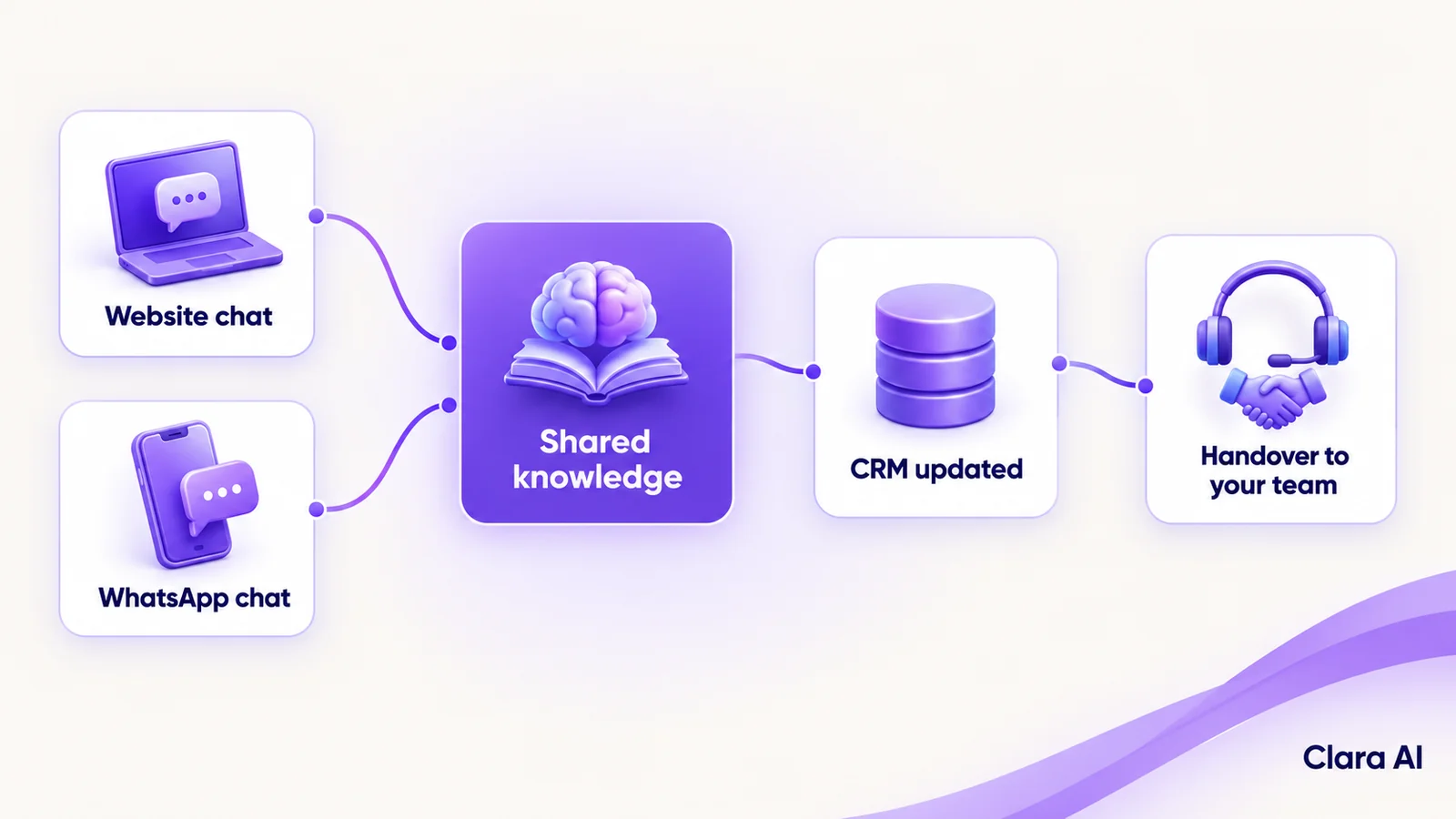
The web chatbot captures the visitor, with consent. WhatsApp then carries the follow-up within the rules. You do not have to launch both at once. Most teams start with one channel and add the other when the first is working.
How do you choose between them?
Work through these steps in order.
- Look at where your leads start. Check how many arrive from search and your website, and how many from ads, messages and referrals.
- Check where customers already message you. If many write to you on WhatsApp, start there.
- List the questions you answer most. Product and catalogue questions suit web. Status, reminder and repeat-order questions suit WhatsApp.
- Decide what follow-up you need. If you must reach people after they leave, plan for WhatsApp, with consent.
- Review your opt-in process. If you cannot record consent yet, fix that before any marketing messages.
- List the systems it must write to. CRM, calendar and inbox are the usual ones.
- Decide who takes over. Name the team and the hours for each type of handover.
If most leads come from your website, start with web. If your ads open WhatsApp, start there. If both are true, plan both and launch one first. Our guide to how chatbot cost is worked out explains what drives the scope.
Three common patterns show how this plays out:
- A manufacturer with a large catalogue and most leads from search usually starts with a web chatbot, because buyers arrive with product questions and need help finding the right item.
- A clinic or service business whose customers already message to book usually starts with WhatsApp, because the conversation is already happening there and reminders matter.
- A retailer running social ads that open WhatsApp, with a busy website as well usually plans both, launches the channel that brings in the most leads first and adds the other once the answers and handover rules are working.
Whichever you pick first, write down what success looks like before launch, such as faster first replies or more enquiries that become conversations, so you can judge the result against how things work today.
Where does a human stay in the loop?
On both channels, the chatbot handles routine questions and capture. People handle:
- price discussions, offers and negotiation
- complaints and upset customers
- anyone who asks for a person
- questions outside the approved information, where the chatbot says it does not know
The handover is designed first, not added later. Your staff receive the full conversation, so the customer never repeats themselves. Your team also reviews chats regularly. Where the chatbot struggled, the answers or rules are corrected.
What should European businesses know about data protection?
Both channels handle personal data, so the GDPR matters. In general terms: collect only what you need, tell people what happens with their data, get consent before marketing messages, and let people opt out easily. The chatbot should say it is an automated assistant. This is a general note, not legal advice. Your legal or data-protection adviser decides what applies to your business, and we build to those decisions.
How are these used in practice?
Clara AI has built both kinds of chatbot. Apex Hospitals uses a WhatsApp chatbot for patient queries and appointments. Clara AI also built a web chatbot for Tempsens, an industrial manufacturer, that answers product catalogue questions. You can read more in our guide to an AI web chatbot for industrial product catalogue support, and see our client work.
We publish no results for either here, so treat them as examples of the two channels, not as forecasts for your market.
Where do calling agents and dashboards fit?
Some leads prefer to talk. An AI calling agent can phone people who have enquired, using the same approved answers, and write the outcome to the same record.
An operations intelligence dashboard shows where leads start, how quickly each gets a first reply, which questions the chatbot could not answer and how many handovers each channel creates. It tells you where to invest next.
How Clara AI gets it built
Clara AI's chatbots and calling agents work in English and Hindi. Other languages for your markets are confirmed during diagnosis and tested before launch. We build web and WhatsApp as one assistant, through our AI chatbots service, in six steps.
- Diagnose how leads arrive today. We map the channels, who replies and where leads stall, then measure the baseline: first-reply time and enquiries that become conversations.
- Collect your material. You share product or service information, common questions, past chats and your consent process. Clara AI delivers a first demo within 7 days of receiving your material.
- Agree the shared rules. Your team approves the answers, the handover triggers and who receives each type of lead.
- Build and test on your real data. Past enquiries go through the assistant, and every weak answer is corrected before launch.
- Run beside your team. The chatbot goes live on the channel you chose first, while staff watch the chats and step in.
- Keep managing and improving. We track results against the baseline, add the second channel when you are ready and keep refining.
Questions businesses ask about web and WhatsApp chatbots
How much does a web or WhatsApp chatbot cost?
Cost depends on the channels, the languages, the size of your content and the systems it connects to. Clara AI sets the scope after a diagnosis and then shares a clear proposal.
How long does it take to go live?
Go-live depends on the channel, the number of integrations and how quickly your team approves the answers and handover rules. WhatsApp can also need time for account access and template approval. Clara AI confirms a timeline after diagnosis.
Which systems can the chatbot connect to?
Typically your CRM, calendar and email, so leads and handovers appear where your team already works. The exact list is confirmed during diagnosis.
Can we start with one channel and add the other later?
Yes. Many businesses launch on one channel and add the second once it is working. Because both share the same answers and records, the second channel builds on the first.
Will customers know they are talking to a bot?
Yes. We design the chatbot to say it is an automated assistant, and customers can ask for a person at any time.